Building the trading clock I couldn’t find anywhere else turned into a way to buy my time back every morning. Today’s work was about making that benefit tangible: less searching through email and browser tabs, more of the trading day right in front of me.
Build 28 is now accepted and merged. I’m leaving it in place for Wednesday morning’s testing, with the opening sequence, incoming EDGE lists, and the Fed-day schedule at the top of the checklist.
This stock market trading clock is already saving my attention for what matters right NOW.
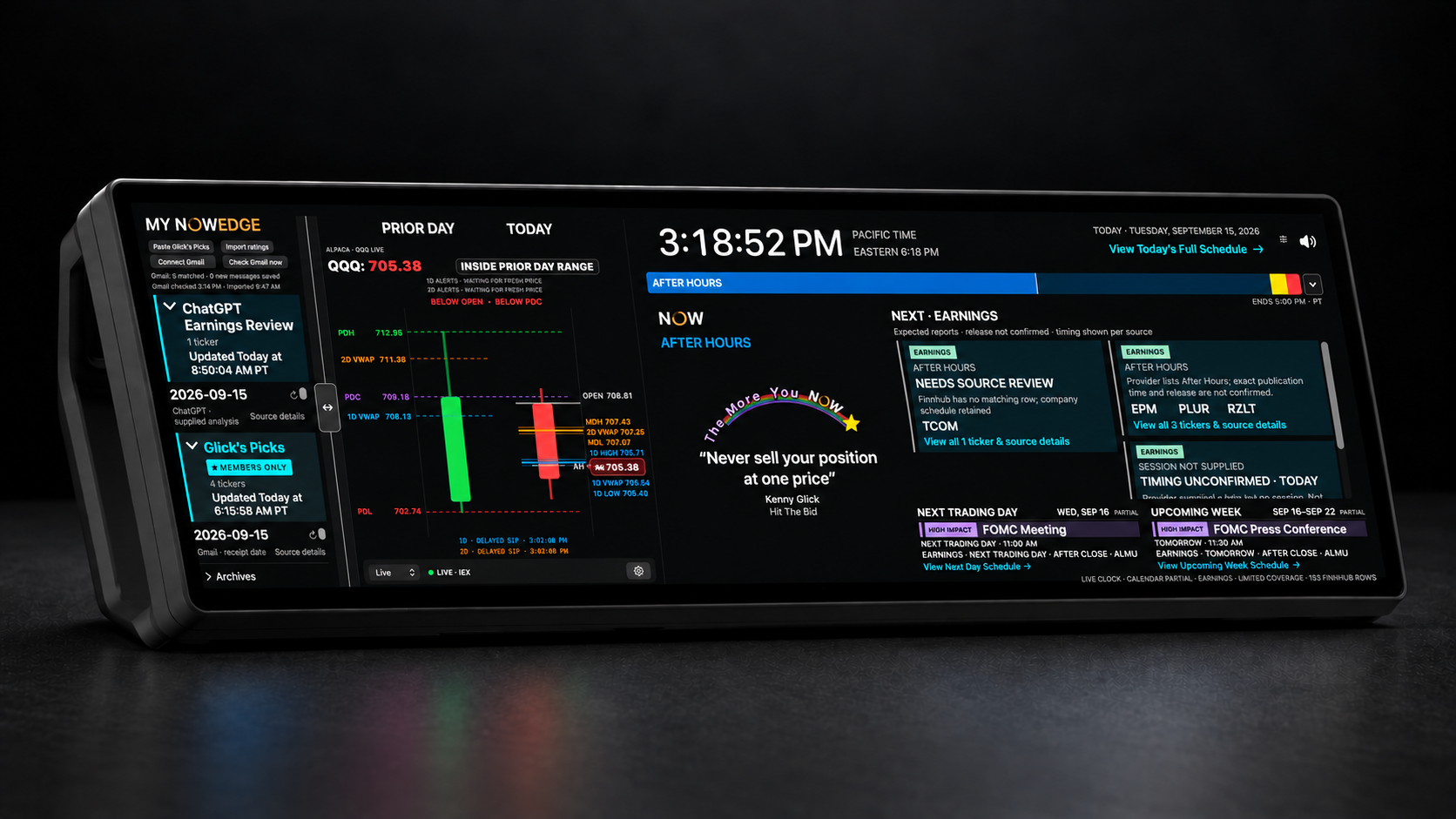
The afternoon view of Build 28
The complete instrument now puts EDGE at the left, QQQ context beside it, and the clock, After Hours earnings, and coming Fed events across the rest of the surface. The close-ups below show where today’s changes become useful.
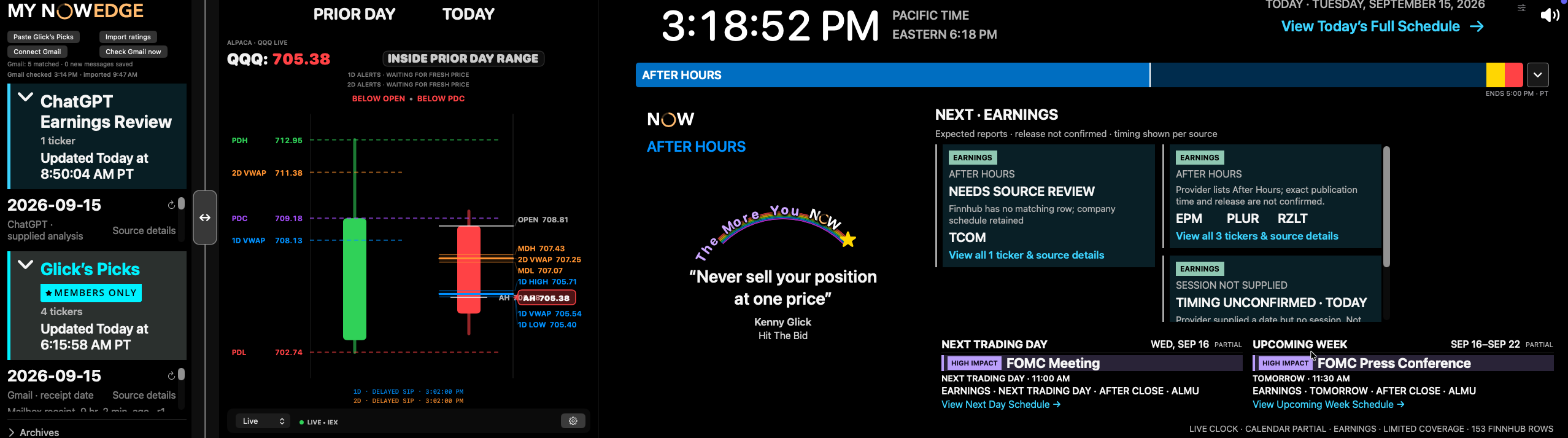
Knowledge is an edge. Knowing now is .
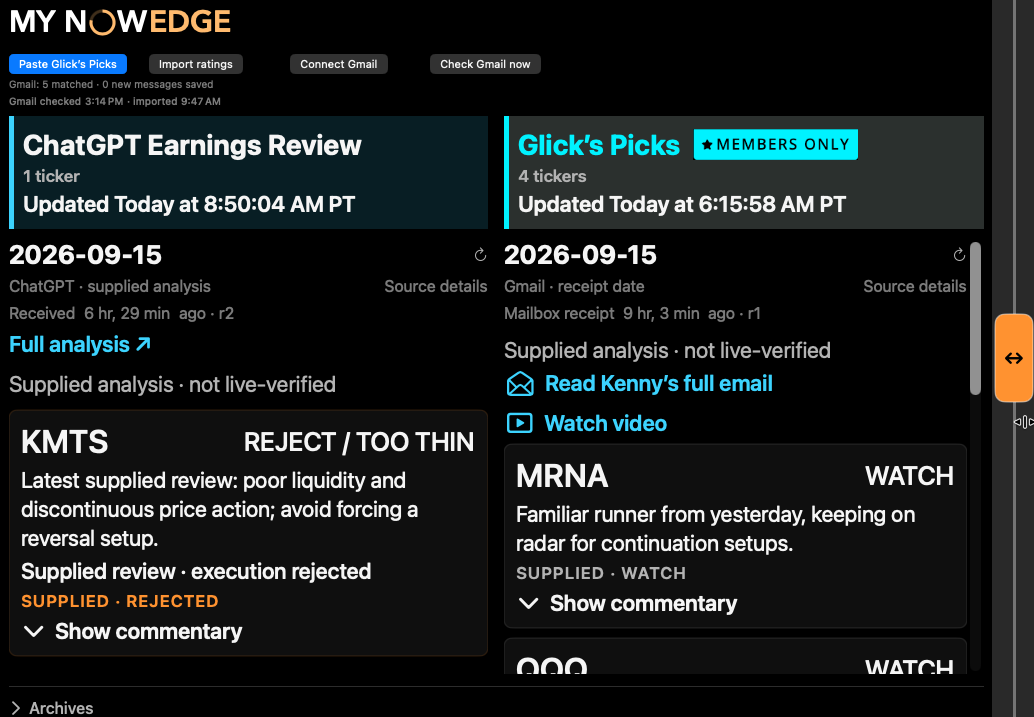
I’m importing email alerts and AI analysis of earnings reversals and other setups directly into the edge of my view. Glick’s emailed picks and my supplied AI reviews sit side by side, with readable ticker summaries, source details, commentary, and prior-day archives. Less digging around. More time to evaluate the setup and enjoy my coffee.
The distinction between a calendar earnings listing and a supplied research result stays visible. Displaying a ticker or an analysis does not establish a live VWAP hold, a qualified trade, or an investment result.
The afternoon capture shows both categories populated: one ticker in ChatGPT Earnings Review and four in Glick’s Picks. KMTS is a useful example of research saying to pass: the supplied review flags poor liquidity and discontinuous price action. MRNA appears as a WATCH in Kenny’s list. These are analysis outputs, not evidence of trading returns.
Hear when useful material arrives
A fresh valid Glick’s list gets a ping followed by Kenny’s arrival clip. The ChatGPT list gets the ping. Mute, repeat updates, and restored lists are part of the behavior to verify on Wednesday; opening the app should not replay yesterday’s excitement.
Put earnings where I can see them
Earnings now have distinctive labels and compact ticker groups. Premarket and After Hours follow the session supplied by the source; a missing session stays explicit. Full ticker lists and source details remain available without crowding the overview.
The After Hours layout uses the available space for relevant earnings and explains items that need source review. Premarket reports do not belong in that expected-report area. A report without an exact time does not get an invented countdown.
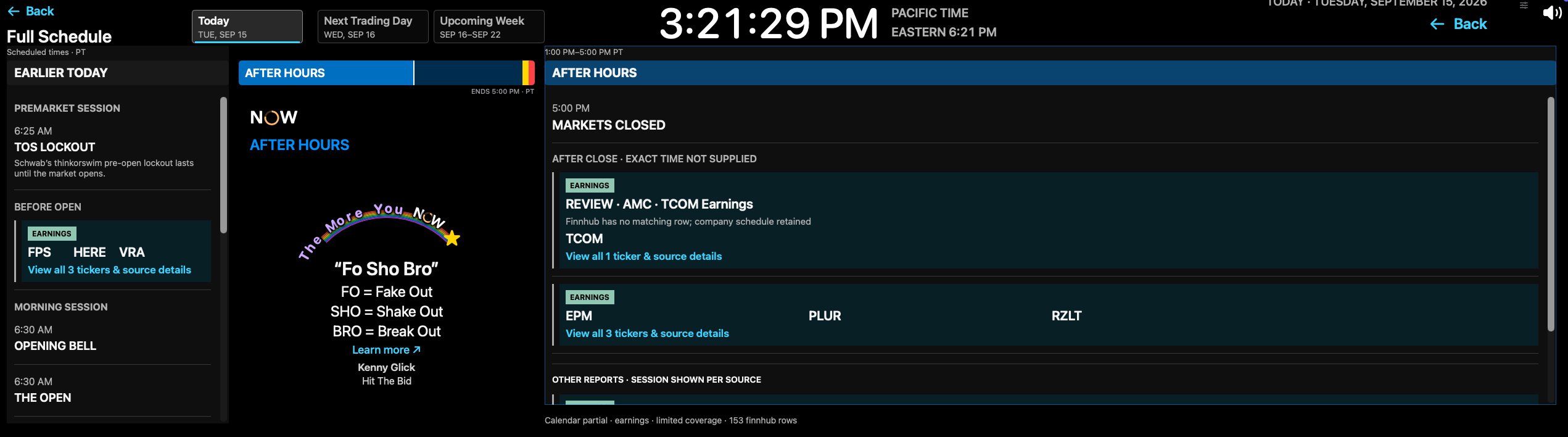
What’s happening tomorrow? Or next week? Now you know.
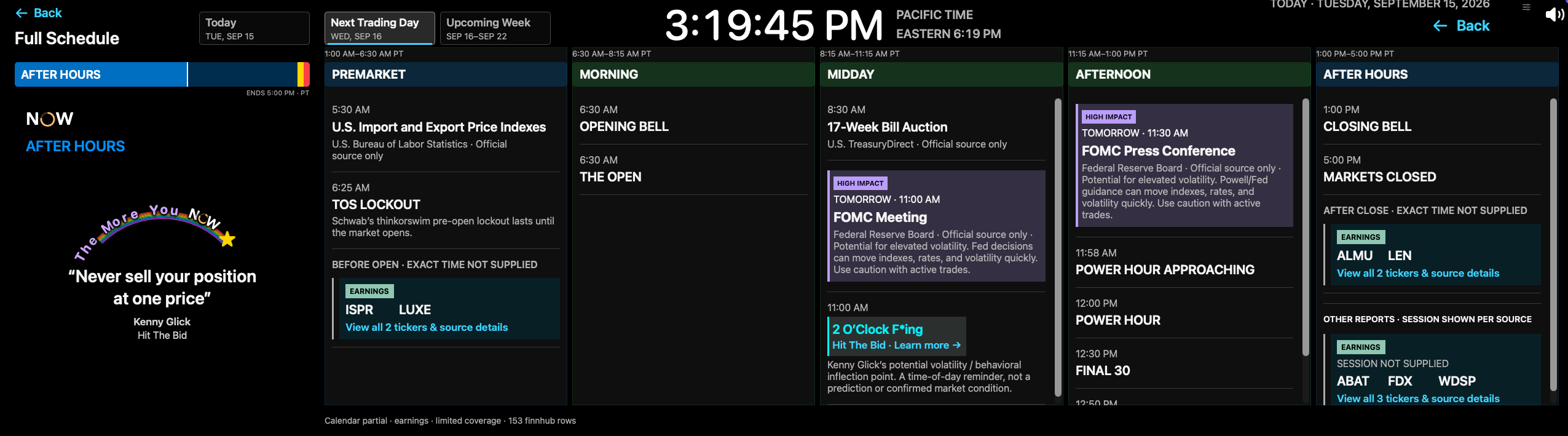
Timed events appear chronologically, with separate emphasis for the next trading day and the upcoming week. Earnings, economic releases, and Fed events sit beside the market clock rather than in another tab I have to remember to check.
The September 15–16 FOMC meeting makes Wednesday a useful test of that visibility. The point is preparation: know the scheduled moment before it arrives, while leaving the market’s response to the market.
Keep the price context honest
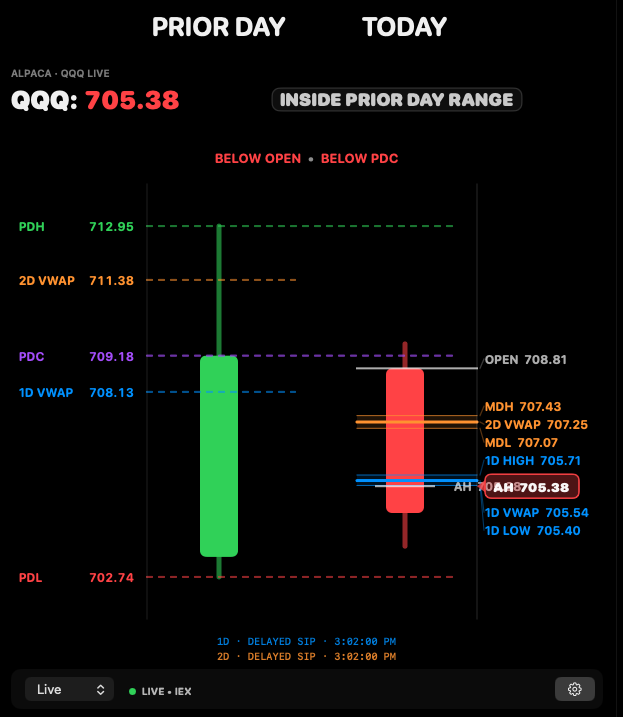
The supplied Candle close-up reads QQQ 705.38 and keeps prior-day levels and one- and two-day VWAP references visible. It also distinguishes live IEX from delayed SIP inputs. The full overview still shows alerts waiting for a fresh price, so a visible quote alone does not prove every input is current.
The website’s interactive Candle remains a separate simulation. This capture documents the actual afternoon surface; overnight-to-open reliability is still on Wednesday’s checklist.
The website catches up with the desk
The homepage now leads with IN PRODUCTION and the story behind the build. The new headline says what I’m getting from it already: saving my attention for what matters right NOW. This is a personal project in use and still being developed; Wednesday’s Build 28 testing is ahead.
The product banner is back at the top, regenerated with today’s main screenshot on the display. It stays there unless I explicitly decide to change it. The actual captures remain below for a closer look, and MY EDGE now follows the hero with its full tagline. Headline mentions of NOWEDGE use the white-and-amber wordmark and its clock-ring O.
The homepage also uses my native countdown recording, with a still-frame option, and a clearer NOW with more VWAP badge. Earnings and economic data get room on the schedule. Initial trading clock and stock market clock search metadata is in place; a full SEO strategy remains follow-up work.
Wednesday is the live test
The build is complete, accepted, and merged; the next morning’s observations are still ahead. I’ll watch the opening preparation, warning and lockout, countdown, bell, fresh EDGE arrivals, and the schedule’s source and timing labels.
Candle’s overnight-to-open behavior remains a separate observation item. Today’s closeout does not establish that the earlier live-data wait has been resolved.
Less searching. More context.
- Delivery status belongs beside the research.
- A schedule is useful when it stays visible during the trade.
- Unknown timing needs a clear explanation, not a guessed timestamp.
- Keeping useful information in view is how this project earns back attention.
Use it through the next open.
- Test the accepted Build 28 on Wednesday morning, September 16.
- Check fresh list arrivals, one-time audio, mute, and prior-day archives.
- Observe Fed-day context, earnings placement, and the opening sequence.
Native appBuild 28 · accepted and merged
Wednesday testingPending
Stable releaseNo new stable promotion
Website refreshLocal review · not yet published