Today’s test-release captures show how NOWEDGE works at two scales: the whole trading day at a glance, and a closer view when something needs attention.
The full surface brings supplied picks, QQQ price context, the clock, NOW and NEXT, and the coming schedule together. These five views document the build being tested at the desk.
Stay focused on what matters NOW.
Get ready for what happens NEXT.
The complete instrument
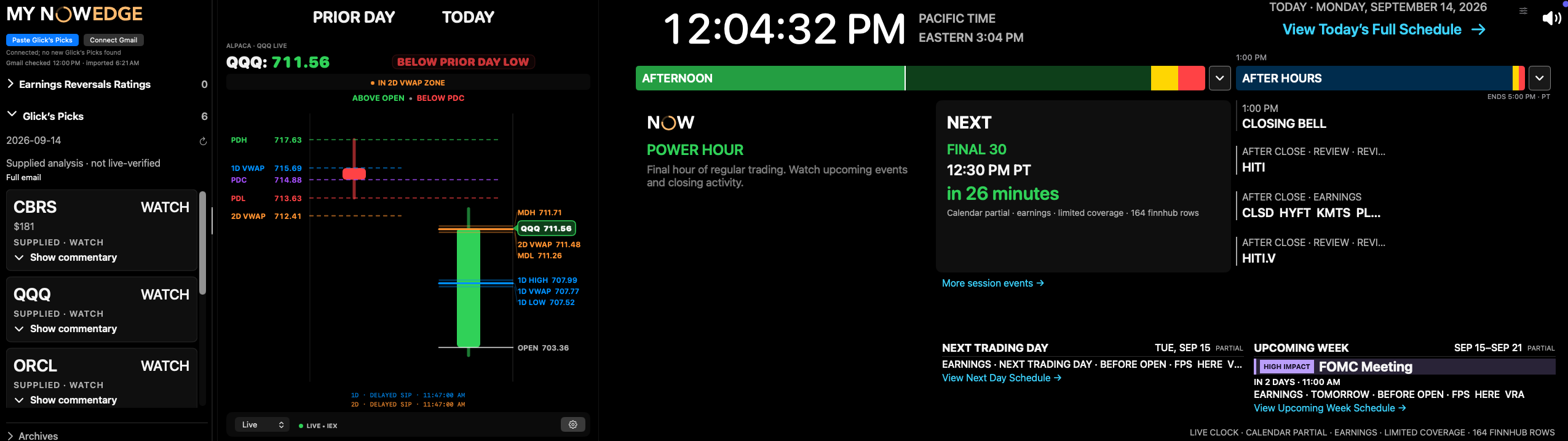
My NOWEDGE sits at the left, followed by the prior-day and current QQQ candles. The clock and session strip lead into NOW, NEXT, after-hours events, and the next trading day.
In this afternoon capture, NOW reads Power Hour and NEXT points to Final 30. The upcoming-week panel keeps the FOMC meeting in view. Calendar coverage and market-data source labels remain part of the display.
Give the schedule the whole surface
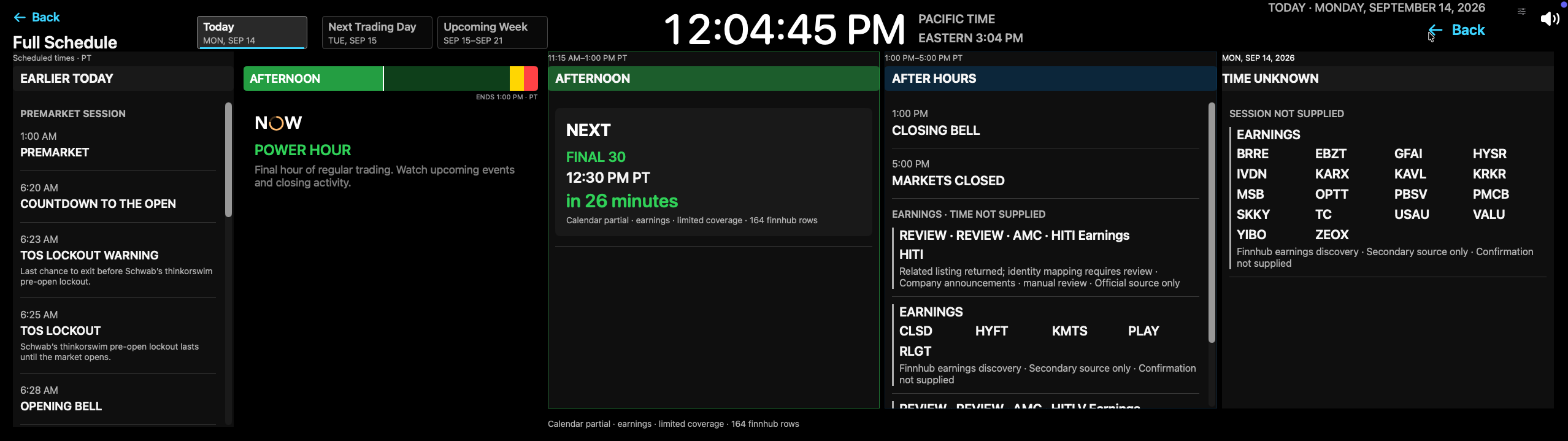
Full Schedule opens room for earlier events, the current afternoon session, after hours, and earnings with unknown times. Today, Next Trading Day, and Upcoming Week remain distinct destinations.
An earnings listing with no supplied time stays in Time Unknown. A calendar listing does not become a qualified reversal opportunity simply because it appears in the agenda.
One event, one countdown
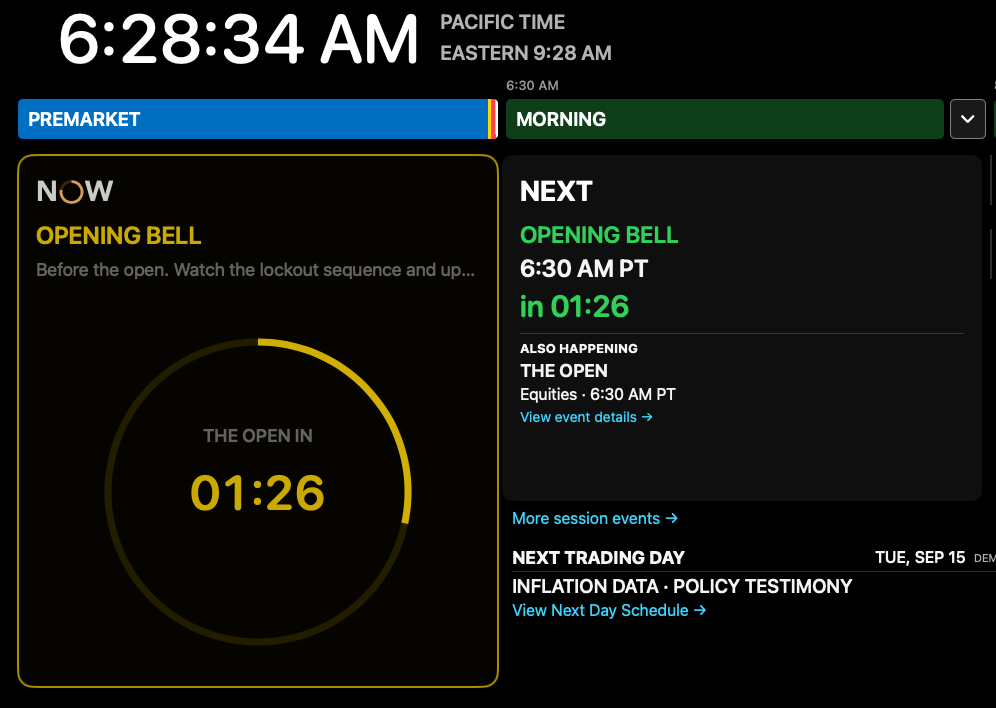
The premarket fixture brings NOW and NEXT into close focus. Both show 01:26 until the opening bell, with the ring carrying the same countdown as the NEXT card.
This still image establishes the layout and displayed time. The website demonstration adds a restrained pulse and a single simulated timer so visitors can see the approach to the bell.
Move price through the references
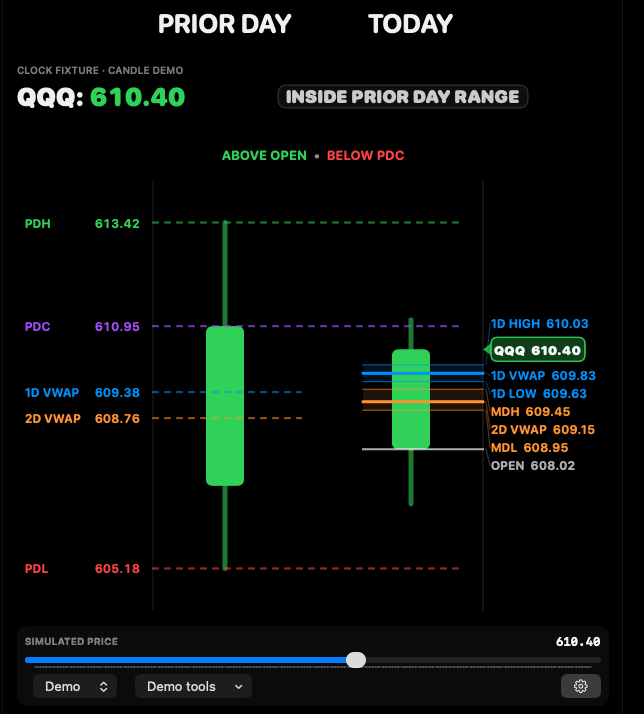
The Candle demo compares the prior day with today and keeps prior-day high, close and low alongside one-day and two-day VWAP references. The supplied capture starts at a simulated QQQ price of 610.40.
The website version gives this view a scrollable inspection area and a simulated-price slider. It is a focused demonstration of price context, not a live market connection or a complete port of the native app.
Make room for My Edge
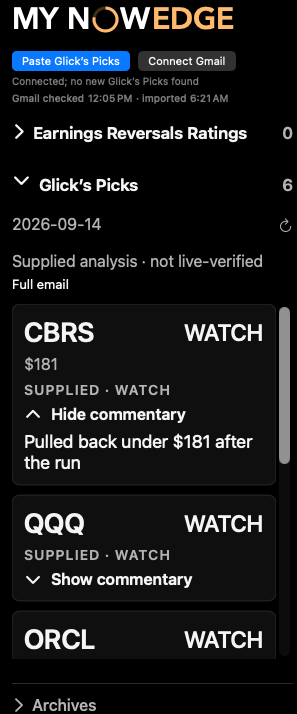
The supplied My NOWEDGE capture shows Glick’s Picks, WATCH labels, and expandable commentary. CBRS, QQQ and ORCL are visible in the captured portion of the list.
The supplied-analysis label matters: this content is not live-verified. The website showcase demonstrates the requested expansion to the right, giving the picks more room while retaining the surrounding time context.
Keep the context when attention moves.
- A full-width overview and a readable close-up serve different purposes.
- Related countdowns should agree at a glance.
- Source labels and timing uncertainty belong beside the information they describe.
Bring the current build onto the homepage.
- Review the five-view homepage showcase against this capture set.
- Refine pulse, scrolling and EDGE expansion against the native interactions.
- Extend the website demonstration only as additional app states are documented.
App stateTest release
Candle demonstrationSimulated
My Edge contentSupplied, not live-verified